Microsoft 365 Copilot for Civil Engineering Firms (2026)
AI Document Search • Microsoft Copilot • May 2026
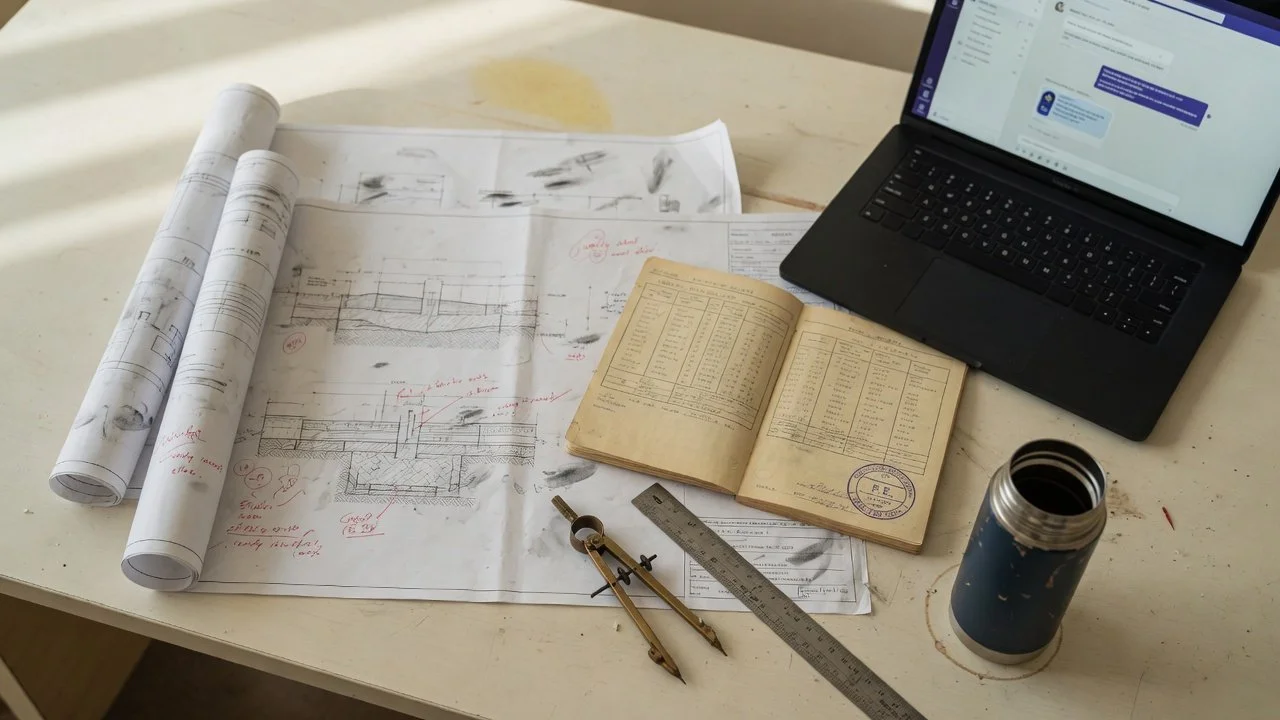
Here is an illustrative scenario. At a 60-engineer civil firm, the IT director turns on Microsoft 365 Copilot Enterprise firmwide. The bill: $30 per user per month on top of E5, roughly $21,600 a year in license fees alone. A few weeks later, a senior PE asks her junior to redraw a 2014 abutment detail because Copilot can't find the original. The 2014 file is a scanned PDF on the firm's network drive, invisible to Microsoft Graph, the indexing layer Copilot relies on.
Copilot is genuinely good at what Microsoft built it to be: email triage in Outlook, meeting summaries in Teams, Excel formulas, Word drafting. For most civil engineering firms with M365 already deployed, Copilot is the default "we already have AI" answer when someone asks about document search. That answer is right for some questions and wrong for others. This article is about which is which.
Below: what Copilot does well, where it breaks on a civil engineering archive, what to deploy alongside it for the queries it can't serve, and the math for a 60-engineer firm running both. References to Microsoft Copilot pricing are from Microsoft's published pages; SalemWise pricing is published below.
Why Microsoft Copilot Falls Short for Civil Engineering Archive Search
Copilot is a strong general-productivity assistant. Microsoft's commissioned Forrester study reports measurable ROI on email, document drafting, and meeting workflows. None of that translates to engineering archive retrieval, because Copilot was not designed for it. Three structural reasons compound on each other for civil firms.
1. It indexes Microsoft 365, not your archive
Microsoft Graph indexes content already in SharePoint Online, OneDrive, Exchange, and Teams. A civil firm's archive, the part that holds 30 years of institutional value, lives in a mix of SharePoint, shared network drives, ProjectWise, and external hard drives. Microsoft publishes more than 100 Copilot connectors covering Confluence, Salesforce, ServiceNow, Jira, and Google Drive. ProjectWise is not on that list. Neither is any civil-engineering vertical connector.
2. It does not OCR legacy scans
Copilot grounds answers against text Microsoft Graph has indexed. A 1996 plan set scanned at 200 dpi with bleed-through on the back of the sheet is an image to Graph. Copilot has no step that OCRs the scanned sheets on your network drive and checks the result against title blocks, stamped dimensions or callouts. The geotechnical bore log on your file server from 2008 stays unsearchable even after Copilot is firmwide.
3. Citations are not page-level
Copilot links back to source documents, but not reliably to the page or section. For PE-stamped work where litigation defense depends on which page of which report a bearing capacity came from, that is disqualifying. Engineers need document name, page number, and ideally section reference on every answer.
Three queries that break in practice
Each of these is a query a senior civil engineer asks every week. Each breaks on Copilot in a specific way.
Query 1: "Find the bearing capacity we used for the Bremerton water tank in 2008." The 2008 geotechnical report is a scanned PDF on the firm's network drive, never ingested into SharePoint. Copilot does not index a network share. Even if migrated, Copilot does not OCR construction-era scans. Result: empty answer or, worse, a confident hallucination from the closest born-digital document.
Query 2: "Every AWWA M-series reference in our last 12 force-main designs." This is a cross-document join, find a set of projects, find specific standard references inside each, return the section. Copilot ranks single documents by relevance to the prompt. It does not group by project, filter by discipline, or recognize that AWWA M 11 and AWWA M11 and "M-11 steel pipe" are the same standard.
Query 3: "What did Ecology comment on our last three NPDES permit submittals?" The answer requires recognizing that NPDES is a federal program implemented through state agencies, that the relevant documents are permitting correspondence filed under project numbers rather than agency names, and that "Ecology" in PNW context means a specific state agency. Copilot does not have that domain knowledge wired in.
What Civil Engineering Firms Actually Need from AI Document Search
What good looks like is a shape, not a feature list. Six things have to be true. A platform that misses any of them is not a real option for civil engineering work, regardless of how strong the demo looks on a Word doc.
-
01Ingestion that reaches your actual archive surface SharePoint Online and OneDrive matter, but so do network shares, ProjectWise vaults, and external drives. The ingestion layer needs to read all of them on a schedule that picks up new project files within 24 hours of save.
-
02OCR on legacy scans Scanned sheets without a text layer have to be OCR'd before they can be searched or cited, and the result has to be checked on the firm's own oldest scans: title blocks, stamped dimensions, leader lines and revision clouds. This is the step most generic tools skip.
-
03Civil-engineering vocabulary AASHTO M-series and T-series, ACI 318 chapters, AWWA C-series and M-series, MasterFormat Divisions 31-34, IBC Chapters 16-22. The system needs to know AWWA C900 and C-900 PVC pressure pipe refer to the same standard.
-
04Page-level, project-keyed citations Every answer returns document name, page, and ideally section or sheet number. The PE who stamps the work needs the traceback for QA/QC and for litigation defense five years later.
-
05On-premise / local GPU option Federal clients with CUI handling, DoD subcontractors, and some municipal clients with data-residency clauses cannot send queries to external APIs. Standard NVIDIA on-prem option, not an enterprise upsell.
-
06A surface engineers already use The browser, or Microsoft Teams once we connect it during setup, where engineers already use Copilot. The engineer who has been using Copilot for six months will not learn a new app. The retrieval system goes to them, not the other way around.
Microsoft Copilot vs. SalemWise for Civil Engineering Firms
Copilot and SalemWise are different shapes of tool for different problems. The table below is not a "who wins" framing, it is a capability map. References to Microsoft Copilot pricing are from Microsoft's own pricing page.
| M365 COPILOT | SALEMWISE | |
|---|---|---|
| Pricing model | $30/user/mo Enterprise; $21/user/mo Business ($18 promotional through September 30, 2026), as of September 2026 ↗ Microsoft | Flat. From $21K setup, $1,500–$2,000/mo ongoing. No per-user fees ↗ salemwise.com |
| 60-engineer firm Year 1 | ~$21,600 in Copilot Enterprise licenses | ~$39,000–$45,000 first year ($21K+ setup plus $1,500–$2,000/mo ongoing) |
| Engineering vocabulary tuning | General-purpose | Tuned to AASHTO / ACI / AWWA / MasterFormat / IBC / state DOT manuals during setup |
| Scanned PDF support | Microsoft Graph indexes born-digital text only | Scanned sheets are OCR'd as part of setup |
| Network drive ingestion | Not native | Read-only connection we build during setup |
| ProjectWise connector | Not in Microsoft's 100+ connector library | Connector we build during setup |
| Source citations | Document link, page-level inconsistent | Document name, page number, section reference |
| Data residency | Azure tenant, cloud only | Your hardware (a local NVIDIA GPU on your network) or ours |
| Best for | Email, Excel, Teams meetings, Word drafting | Engineering archive retrieval with PE-grade traceability |
The cells are not a head-to-head. Copilot is a productivity assistant. SalemWise is an archive retrieval system. Once we connect Teams during setup, both sit in the same Teams workspace and solve adjacent problems. The recommendation in §6 below is to run both.
How SalemWise Indexes What Copilot Can't
Microsoft Graph and SalemWise's retrieval stack solve different shapes of problem. Graph is optimized for the case where content is born-digital, already inside M365, and the query is a natural-language summary or rewrite. SalemWise is optimized for the case where content is a 30-year mix of formats, mostly outside M365, and the query is a specific factual retrieval against engineering standards.
What follows is what we build during setup. The live demo already shows hybrid search (literal plus semantic), page-level citations and access trimmed by role before search. The connections to your archive, OCR of your scanned sheets, the Microsoft Teams app and tuning to your firm's vocabulary are built for your archive in the 6–8 week deployment.
-
01Ingestion across SharePoint, network drives, and ProjectWise Read-only connections we build during setup, working with your IT lead. We never modify the source. A discovery sweep classifies files by type and identifies the scan-heavy portions of the archive.
-
02OCR for scanned sheets Scanned pages without a text layer are OCR'd as part of setup so they can be searched and cited. We check the result on a sample of your oldest plan sets, geotechnical reports and stamped specifications before they enter the index.
-
03Retrieval tuned to your vocabulary during setup Standards manuals, state DOT design manuals, plus your firm's project taxonomy and internal terminology inform the tuning we do during setup, so M 145 retrieves the M-145 references even when the question phrases the standard differently.
-
04Hybrid retrieval: semantic plus keyword Semantic search alone misses clause numbers and standard identifiers. SalemWise combines semantic ranking with literal keyword match on AASHTO M 145, ACI 318 Chapter 19, AWWA C900, and your firm's project IDs. Hybrid retrieval is what makes the AWWA-references-in-12-projects query actually work.
-
05Runs on your hardware or ours On your hardware, Corpus runs on a local NVIDIA GPU on your network. Hosted with us, it runs on our servers. Either way it uses an open-weight model and never a public AI API. Same retrieval logic, same response format. Switching between them is a configuration decision, not an architectural rebuild.
-
06Answers in the browser or Microsoft Teams Engineers ask in the browser, or in Microsoft Teams once we connect it during setup. The answer comes back with the document name, page number, and a link to the source file.
What a Civil Engineering Deployment Would Look Like (Illustrative)
Illustrative scenario based on engineering firms we have scoped. It is not a live customer deployment.
Picture a civil firm of about 40 engineers. Water/wastewater is half the practice, transportation a third, structural and site civil the rest. M365 E5 firmwide, with Copilot Enterprise turned on for the partners and senior PEs. The archive is several terabytes on a shared network drive, plus decades of scanned drawings and reports.
Copilot would do what Microsoft says it does: faster email triage, meeting summaries instead of manual notes, quicker Excel work. The partners would use it every day for what Copilot is for.
What it wouldn't do is find a 2008 AWWA M 11 reference in the firm's previous force-main designs. Asked in Teams, Copilot answers from what Microsoft Graph has indexed. Force-main reports on the network drive, or in a SharePoint site nobody has indexed in years, never come back as candidates.
If Corpus indexed the same archive, with answers in Teams (a connection we build during setup), the engineer would ask the same question and get back the force-main reports that mention AWWA M 11, each with the page it appears on and the project ID. That's the test to run on your own archive: time the answer before and after.
Phase 1 would cover the most recent 1 to 2 years of work. Going further back would be a separate decision once retrieval quality is proven on familiar material. The firm wouldn't turn Copilot off; the partners would use both, each for the questions it's built for.
The Math for a 60-Engineer Firm Already Running Copilot
Three options for a 60-engineer civil firm on M365 E5. All numbers from published list prices.
| Option | Year 1 cost | Solves engineering retrieval? |
|---|---|---|
| Copilot Enterprise, all 60 engineers | ~$21,600 | No. Scanned archive stays unreachable. |
| SalemWise, single-discipline deployment | ~$39,000–$45,000 (from $21K setup plus $1,500–$2,000/mo ongoing) | Yes, on the indexed scope. |
| Copilot Business for 15 power users + SalemWise | ~$42,780–$48,780 combined | Yes, both problems solved. |
The honest recommendation is row 3. Copilot Business at $21/user/mo ($18 promotional through Sept 30, 2026, then $21; as of September 2026) for the 15-20 engineers who actually use email and Excel AI heavily. SalemWise, in the browser or in the same Teams workspace once we connect it, for the engineering archive retrieval problem Copilot was never built to solve.
For larger or more complex engagements, multi-office firms, ProjectWise integration, legacy-scan-heavy archives over 5 TB, on-prem GPU for federal work, SalemWise setup runs $25K to $40K+ based on scope. The free 30-minute call and the scoping that follows confirm which bracket applies before any commitment. Compared against Glean's $60K enterprise floor and its paid POC, the combined Copilot + SalemWise approach lands meaningfully below for a firm that already has M365 turned on.
When SalemWise Is the Wrong Tool
SalemWise is the wrong tool for some civil firms. Specifically:
Firms with fewer than ~20 engineers and no legacy archive
Where the managing principal still does most of the searching personally. The ROI math does not carry the setup cost at that headcount.
Firms with no legacy archive
A 50-person firm founded in 2020, on SharePoint Online from day one, with no scanned content has a different problem. Copilot or Glean may be enough.
All-cloud federal subcontractors handling CMMC Level 3 CUI
The on-prem NVIDIA deployment is the right architectural starting point, but CMMC L3 is a separate conversation involving FIPS-validated cryptography, audit logging, and government-tenant questions that should be scoped with your 3PAO before any AI vendor commits.
Firms that have not yet deployed Copilot at all
Start with Copilot. See what it solves. If after 90 days of real use the engineering retrieval problem is still unsolved, and for most civil firms with a legacy archive it will be, then talk to us. Do not buy two tools to solve one problem.
Firms where the principal will not change anything
No tool helps if the partnership will not approve a 6-week change-management window.
How SalemWise Deploys for Civil Engineering Firms
Yermek Ibray built SalemWise specifically for civil and specialty engineering firms. Background: 16+ years in software engineering, including Google and Meta. Team includes alumni from Facebook, the New York Times, and Stash. More on the team and approach at salemwise.com/about.
-
01Free 30-minute call and scoping (Week 1 to 2) 30-minute call. We walk your archive surface, document types, and disciplines with your IT lead. SharePoint sites, OneDrive, network drives, ProjectWise where used. If SalemWise is not a fit, we say so on the call. Scope drivers get named: archive size, connector count, multi-office complexity, on-prem requirement.
-
02Corpus assessment and read-only access (Week 2 to 3) Read-only access to a sample of the archive. We classify file types, estimate OCR volume, identify the scan-heavy portions, and confirm the pricing bracket. Setup ranges from $21K for a single-discipline, single-surface deployment to $40K+ for multi-office deployments with ProjectWise, on-prem GPU, or 5 TB+ of legacy scans. Final number confirmed in writing before any commitment.
-
03Phase 1 ingestion, tuning, and early users (Week 3 to 7) Index the current 1 to 2 years of work. Scanned sheets are OCR'd as part of setup. Retrieval and prompts tuned for AASHTO, ACI, AWWA, MasterFormat, IBC, ASCE, state DOT manuals, and your firm's internal terminology. An early group of 10 to 20 engineers across disciplines uses it in the browser, or in Teams once we connect it. We tune retrieval based on real queries.
-
04Firm-wide rollout (Week 8) Full deployment with remote training. No new app to learn, same Teams interface engineers already use for Copilot. Index updates run on a scheduled cadence (typically nightly), so new project files become searchable within 24 hours of being saved.
-
05Phased archive expansion (Month 2 onward) After Phase 1 proves retrieval quality on familiar material, each subsequent phase is its own go/no-go decision: Phase 2 to ~3 years, Phase 3 to ~10 years, Phase 4 the founding-era archive (treated as its own engagement given format complexity). Ongoing $1,500–$2,000/mo covers index updates, retrieval tuning, and support.
Common Objections
"Why pay for both Copilot and SalemWise?"
Because they solve different problems. Copilot does email, Excel, meeting summaries, and Word drafting. SalemWise does engineering archive retrieval with page-level citations. The combined cost for a 60-engineer firm running Copilot Business for 15 power users plus SalemWise is roughly $42,780 to $48,780 in year one, less than Glean's enterprise floor and substantially less than the productivity loss from engineers redoing work because they can't find the original.
"Our archive is on a shared network drive, not SharePoint. Does that work?"
Yes. During setup we connect read-only to the relevant shares; nothing on your drive is modified. The index runs on your hardware (a local NVIDIA GPU on your network) or on ours, and new files are picked up on a schedule we agree with your IT.
"We use ProjectWise. Can SalemWise connect to it?"
Yes. We build that connection for you during setup of the full deployment, working inside your network with your IT lead; there are no ready-made connectors, and the same goes for SharePoint, OneDrive or shared network drives. Scanned PDFs are OCR'd as part of setup. The ingestion plan is scoped before any commitment, and the pilot needs no connection at all: it works from a copy of your PDFs.
"Some of our work is for federal clients with data residency requirements."
Local GPU processing using NVIDIA hardware is a standard option, not a premium add-on. With local processing, your documents and queries never leave your network and no data is sent to external APIs. Copilot does not offer this.
"Our IT team is a part-time MSP and a senior engineer who built our SharePoint."
That is the typical setup at a 30 to 60 person specialty consulting firm. SalemWise discovery and onboarding is designed for it. We work directly with whoever owns your file architecture and do not require a dedicated IT project lead on your side.
Test Copilot on Your Archive This Week
Open Microsoft Teams. Ask Copilot: "Find every AWWA M-series reference in our last 12 force-main designs. Return document name and page number for each." Time it. If Copilot returns the actual reports with page numbers in under 30 seconds, you don't need us. If it doesn't, book the call.
Book a free 30-minute call See Corpus by SalemWise Try the live demoSources cited in this article: Microsoft for current Microsoft 365 Copilot Enterprise ($30/user/month) and Copilot Business ($18/user/month promotional through September 30, 2026; $21/user/month standard) pricing, as of September 2026; Microsoft Copilot extensibility documentation for the connector library scope; McKinsey Global Institute, "The Social Economy" (2012) for the ~19% / one-day-per-week knowledge-worker search-time figure; U.S. Bureau of Labor Statistics Occupational Employment Statistics, May 2024 for the $99,590 civil engineer median wage used in the loaded-cost calculation; Vendr buyer guide for Glean's ~$60K enterprise floor as a cross-reference point. Disclosure: Microsoft, Microsoft 365, and Copilot are trademarks of Microsoft Corporation. Glean is a trademark of Glean Technologies, Inc. ProjectWise is a trademark of Bentley Systems, Incorporated. SalemWise Solutions is not affiliated with, endorsed by, or sponsored by any of these companies. Microsoft pricing reflects published rates as of May 2026 and may vary by Enterprise Agreement, region, and negotiated terms. Contact each vendor directly for current pricing.