

Ask in plain words
Answers show their steps as they run. A Try asking sheet suggests questions, and a change you type in the chat comes with an Undo.
What it does
While an answer runs you see each step: what you may see, the search, the draft answer, a second reading and the comparison. You can also type a short command, such as a score, and it goes into the panel.
Who uses it
Anyone using the archive. Principals use typed changes to score a pursuit without leaving the chat.
Step by step in the demo
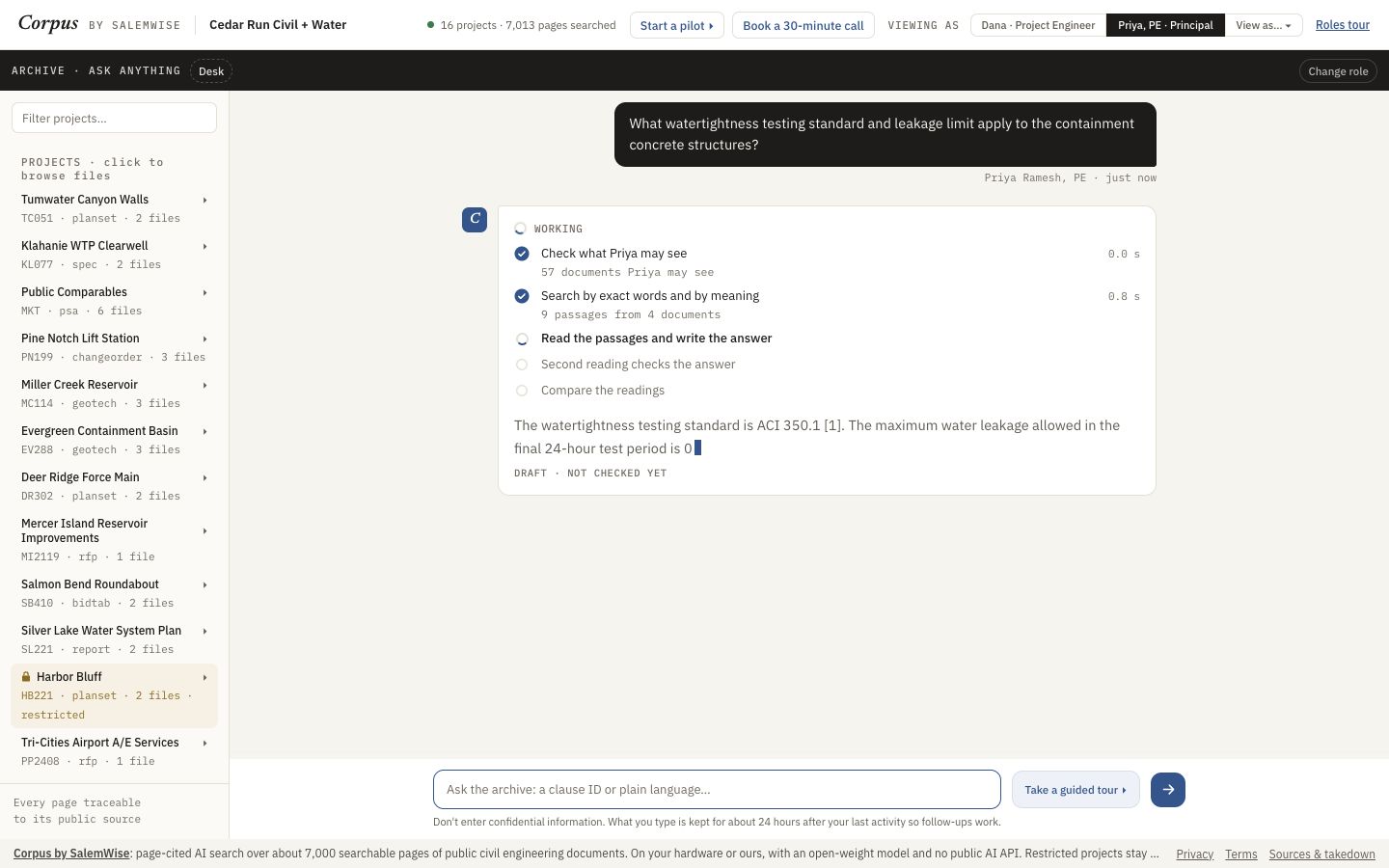
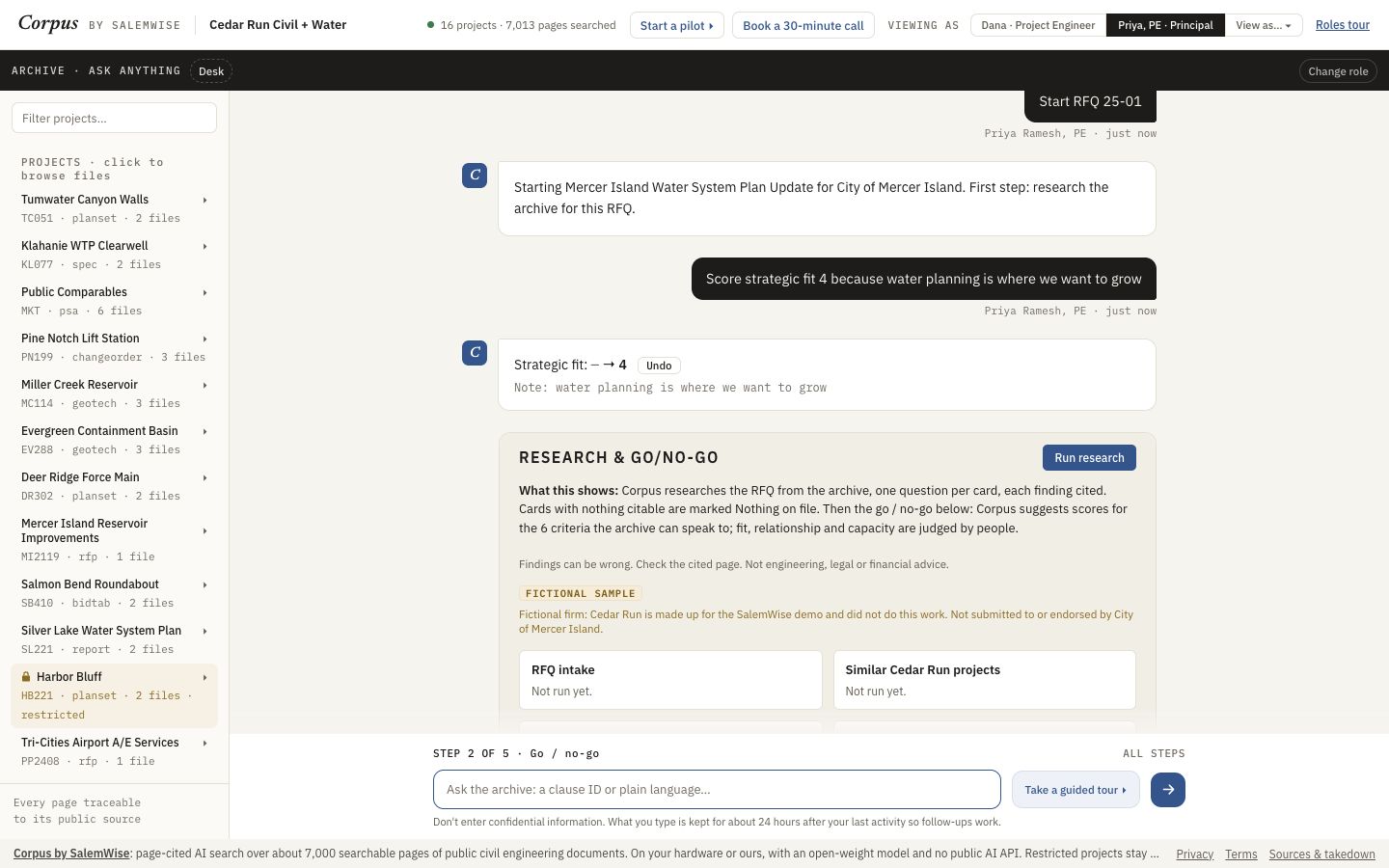
Open demo.salemwise.com/?path=archive in a browser on a laptop. The steps below are the ones we took on 2026-10-10, viewing as Priya Ramesh, PE (Principal).
- Open the demo archive. Under Viewing as at the top, click Priya, PE · Principal.
- Ask a question. Watch the steps: check what Priya may see (57 documents), search by exact words and by meaning, write the answer, a second reading, then compare the readings.
- The text first shows DRAFT · NOT CHECKED YET, then BEING CHECKED BY A SECOND READING. When it is done it says how many steps it took.
- Open a pursuit panel or the Desk: a Try asking sheet above the box suggests questions for that screen. Some are marked TRY TO TRICK IT.
- Type Start RFQ 25-01. Corpus opens that pursuit at its first step.
- Type Score strategic fit 4 because water planning is where we want to grow. The chat shows the change with your note and an Undo button.
Demo data is fictional: the firm, Cedar Run Civil + Water, its people, and every record marked Fictional sample are made up. The rest of the archive is real public engineering documents, filed under the fictional firm's project names, and the RFQs are real public RFQs.
What a person still checks
- Don't enter confidential information. The demo keeps what you type for about 24 hours.
- The public demo has rate limits.
- Every answer's citations, as in the cited answers guide.
Added to the demo on Oct 7, 2026. See it in What's new: Ask in plain words.
Try it on your own documents
Start with a free 30-minute call. Then run the $5,000 pilot on one real project or pursuit, credited toward setup if you sign a deployment within 60 days of the pilot's end.