
History and versions
Past awards with each client, cited. Every save of the fee, SOQ and contract becomes a version you can compare and restore.
What it does
History lists past pursuits by client, year, outcome and contract amount, each cited. Versions keeps each save with who made it, when, and what changed.
Who uses it
Principals and project managers who need to see what changed in a fee and who changed it.
Step by step in the demo
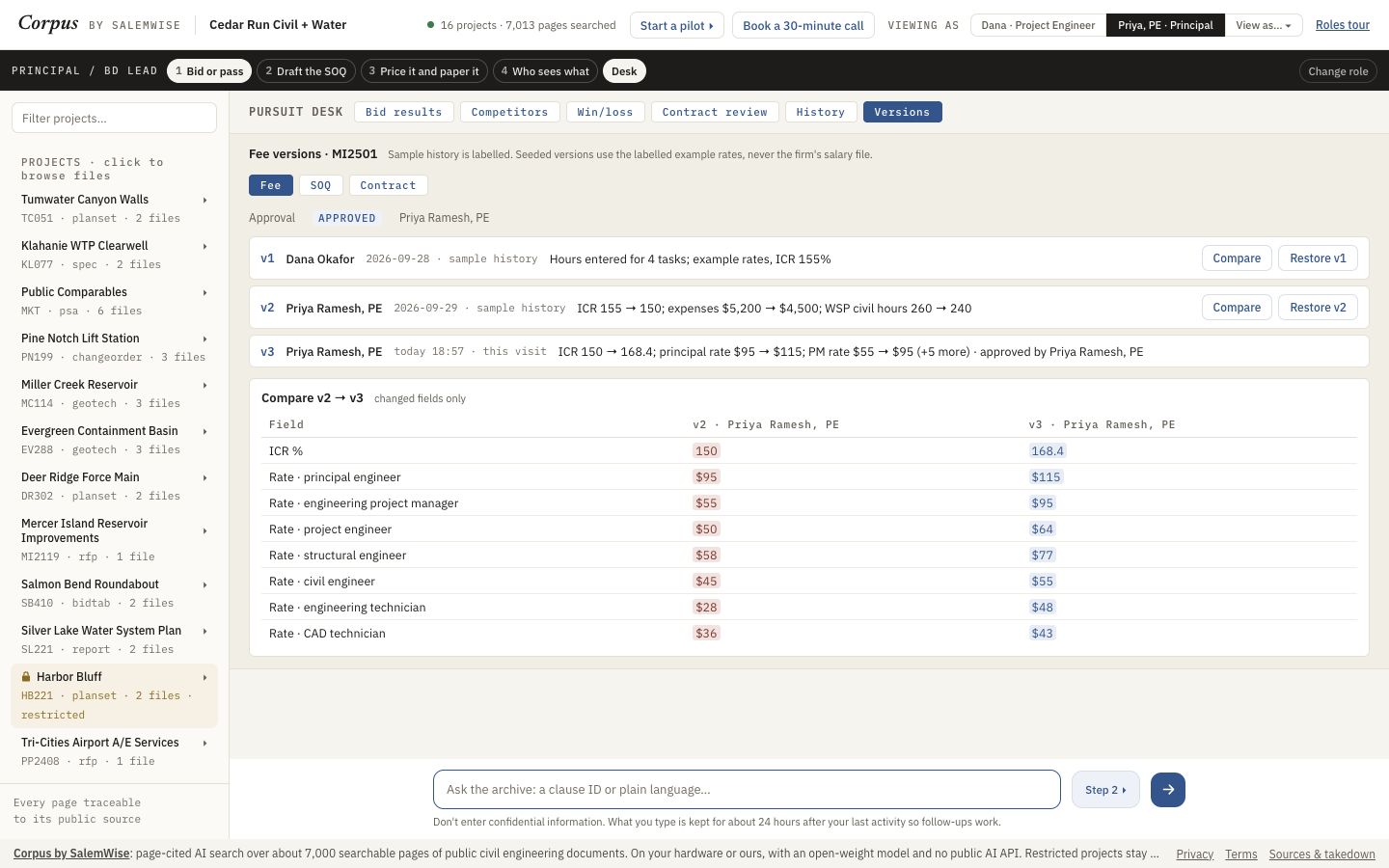
Open demo.salemwise.com/?path=principal in a browser on a laptop. The steps below are the ones we took on 2026-10-10, viewing as Priya Ramesh, PE (Principal).
- As Priya, click Desk in the dark bar under the header to open the Pursuit desk.
- Click History. Each row is cited. The two real Mercer Island RFQs show this visit's status and the note real public RFQ: no outcome is invented.
- Click Versions, then Fee, SOQ or Contract. Each version shows who saved it, when, and a one-line summary of the change.
- Click Compare on a version. Only the fields that changed are shown, side by side.
- Click Restore v1. The demo says Restored v1. The fee needs the Principal's approval again, and the contract shows not ready until then.
Demo data is fictional: the firm, Cedar Run Civil + Water, its people, and every record marked Fictional sample are made up. The rest of the archive is real public engineering documents, filed under the fictional firm's project names, and the RFQs are real public RFQs.
What a person still checks
- Seeded versions are labelled sample history.
- A restored fee, before the principal approves it again.
Added to the demo on Oct 6, 2026. See it in What's new: History and versions.
Try it on your own documents
Start with a free 30-minute call. Then run the $5,000 pilot on one real project or pursuit, credited toward setup if you sign a deployment within 60 days of the pilot's end.