

Roles: who sees what
The same archive, opened by different people at the firm. Restricted files are removed before search runs, and rates, contracts and HR records stay with the roles allowed to see them.
What it does
Each person holds one or more roles, such as Principal, Project Manager, Contracts admin or Engineer. Files a role may not see are removed before search runs, so an answer cannot quote them.
Who uses it
Principals and IT leads deciding who may see the rate sheet, contracts, bid results and HR files.
Step by step in the demo
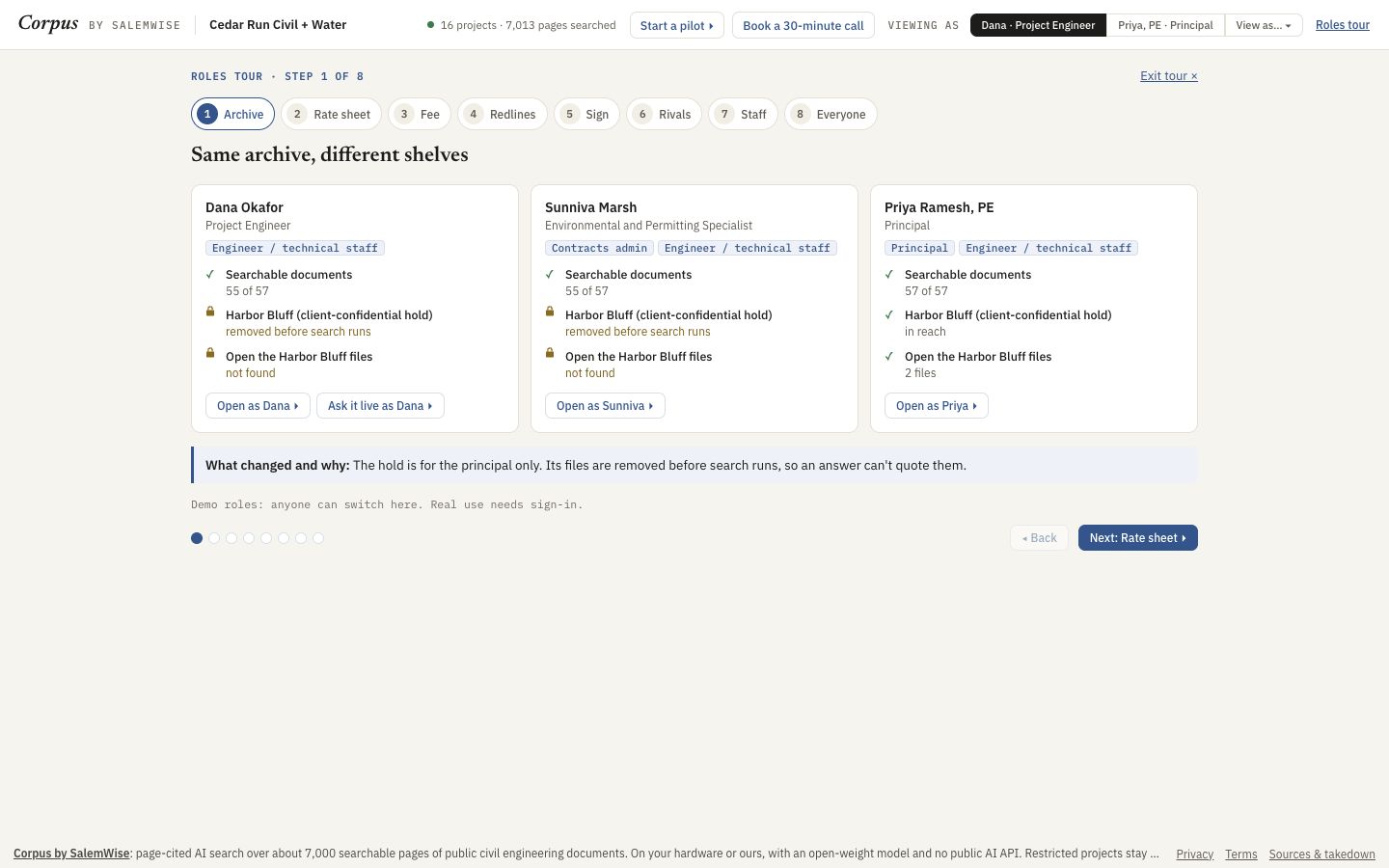
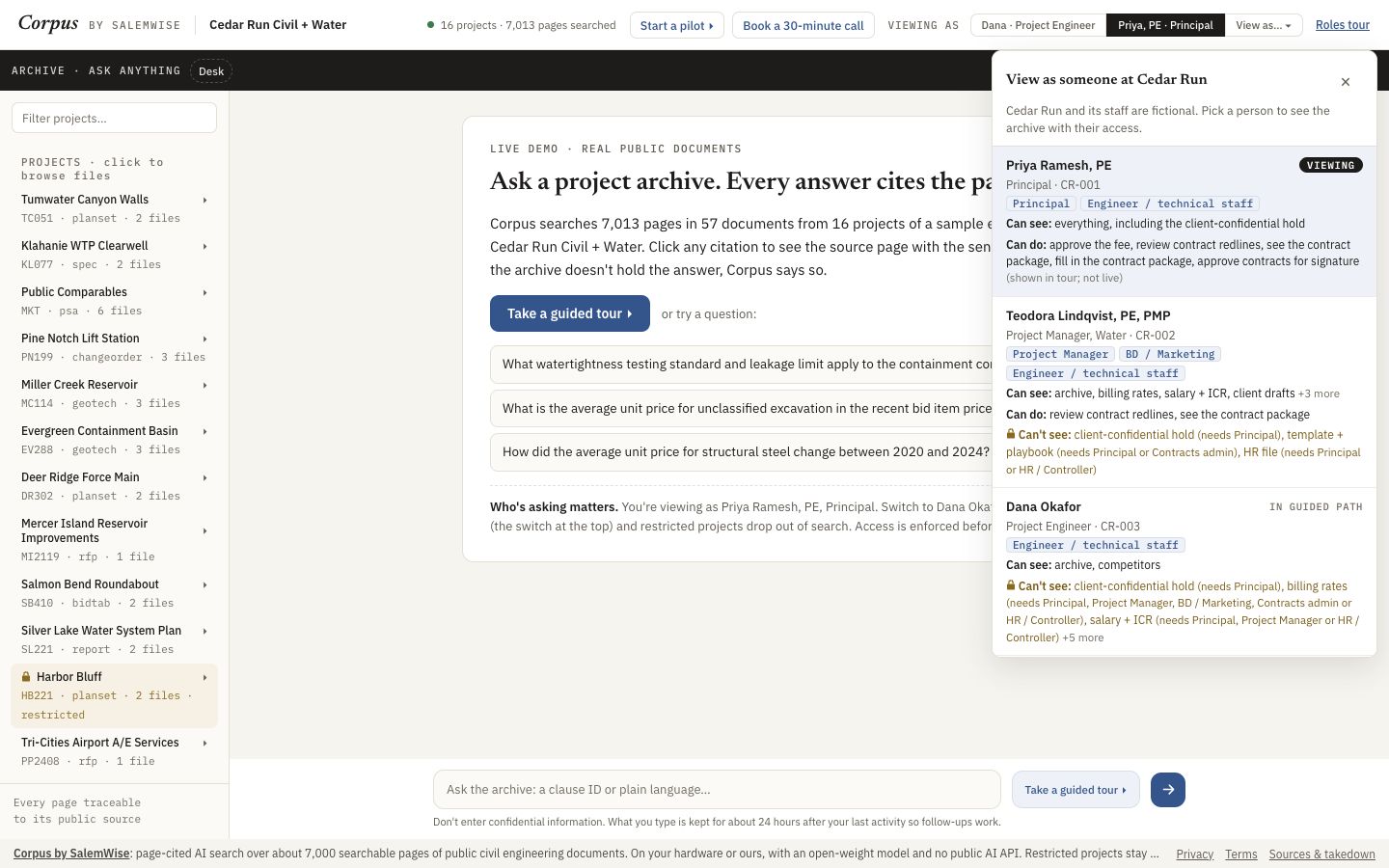
Open demo.salemwise.com/?tour=roles in a browser on a laptop. The steps below are the ones we took on 2026-10-10, viewing as Priya Ramesh, PE (Principal).
- Open the roles tour, or click Take the roles tour on the demo's first screen.
- Step 1, Archive: Dana (project engineer) and Sunniva (contracts admin) search 55 of 57 documents; Priya searches all 57. The Harbor Bluff hold is removed before search runs for everyone but the principal.
- Click Next through steps 2 to 7: rate sheet, fee, redlines, sign, rivals and staff, each shown side by side for three people.
- Step 8, Everyone, is a table of what each of the 10 people can see.
- Leave the tour and click View as. Each person's card lists Can see, Can do and Can't see, with the role each item needs.
- Click Dana, then Desk and Bid results. It says Restricted: needs Principal or BD / Marketing.
Demo data is fictional: the firm, Cedar Run Civil + Water, its people, and every record marked Fictional sample are made up. The rest of the archive is real public engineering documents, filed under the fictional firm's project names, and the RFQs are real public RFQs.
What a person still checks
- Demo roles: anyone can switch here. Real use needs sign-in.
- Who holds which role at your firm is your decision, and someone should review it.
Added to the demo on Oct 3, 2026. See it in What's new: Roles: who sees what.
Try it on your own documents
Start with a free 30-minute call. Then run the $5,000 pilot on one real project or pursuit, credited toward setup if you sign a deployment within 60 days of the pilot's end.